MELSEC LJ71E71-100 — PLC-side settings
MELSEC LJ71E71-100 — Ethernet communication unit for L series.
What you need
- Configuration tool: GX Works2
- Network: Align IP address, subnet mask, and default gateway with your network environment.
- After configuration: Power cycle the PLC to apply the new parameters.
Example values used in this guide
| Parameter | Example value | Notes |
|---|---|---|
| IP address | 192.168.250.100 |
Adapt to your network |
| TCP port | 1025 |
MC Protocol / SLMP TCP |
| UDP port | 1035 |
MC Protocol / SLMP UDP |
PLC-side settings
Use the LJ71E71-100 when the L series CPU does not have a built-in Ethernet port. The Ethernet unit profile uses 4E frames with Q/L compatibility while keeping the LCPU device range behavior.
Screen: Ethernet unit settings
| Parameter | Setting |
|---|---|
| IP Address | 192.168.250.100 (example) |
| Subnet Mask | Match your network |
| Default Gateway | Match your network |
| Communication Data Code | Binary code communication |
| Write During RUN | Enabled (FTP and MC protocol) |
Screen: Ethernet unit open settings
| # | Protocol | Open Method | Local Port |
|---|---|---|---|
| 1 | TCP | MC Protocol | 1025 |
| 2 | UDP | MC Protocol | 1035 |
Connecting with this library
| Parameter | Value |
|---|---|
| Canonical profile | melsec:lcpu:lj71e71-100 |
| Port (TCP) | 1025 |
| Port (UDP) | 1035 |
Code example:
import asyncio

from slmp import SlmpConnectionOptions, SlmpTarget, open_and_connect, read_typed


async def main() -> None:
    options = SlmpConnectionOptions(
        host="192.168.250.100",
        port=1025,
        transport="tcp",
        plc_profile="melsec:lcpu:lj71e71-100",
        default_target=SlmpTarget(network=0, station=0xFF, module_io=0x03FF, multidrop=0),
    )
    async with await open_and_connect(options) as client:
        value = await read_typed(client, "D100", "U")
        print(f"D100={value}")


asyncio.run(main())
using PlcComm.Slmp;

var options = new SlmpConnectionOptions(
    "192.168.250.100", SlmpPlcProfile.LCpuLj71E71100, 1025,
    SlmpTransportMode.Tcp, SlmpTargetAddress.OwnStation);
await using var client = await SlmpClientFactory.OpenAndConnectAsync(options);
var value = await client.ReadTypedAsync("D100", "U");
Console.WriteLine($"D100={value}");
The PLC-side settings on this page apply to every language. For Rust, C++ (Arduino/PlatformIO), and Node-RED, start from each library's Getting started.
Related SLMP docs
Screenshots
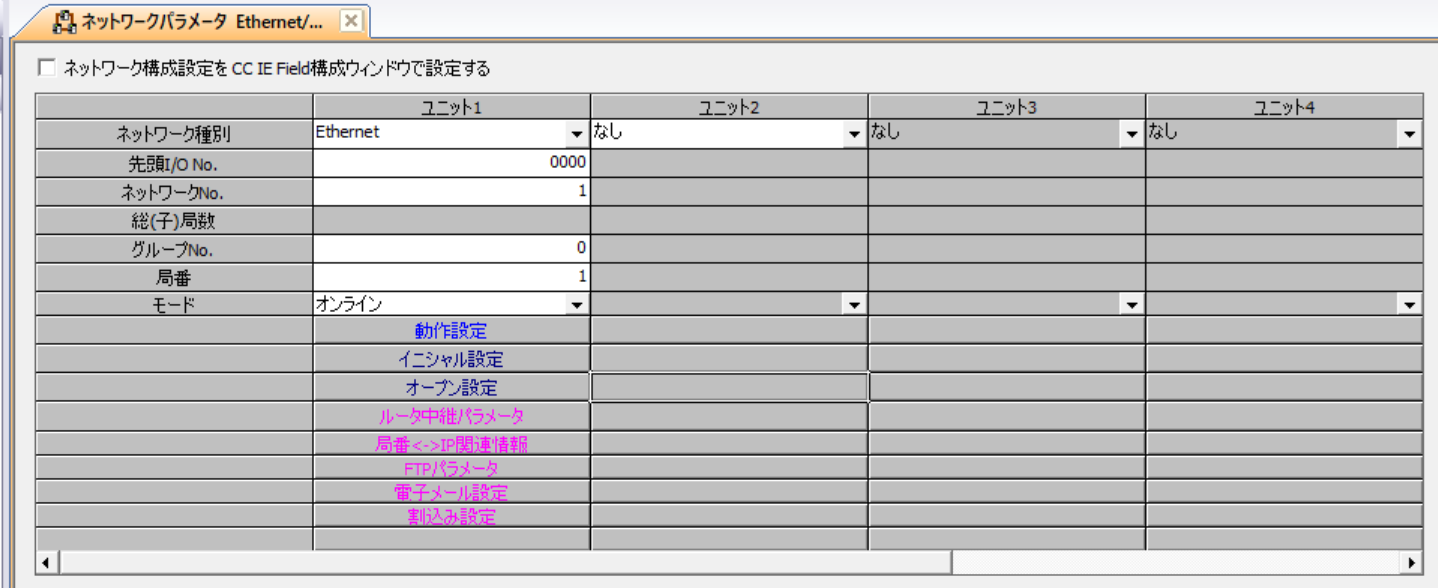 LJ71E71-100 Ethernet unit settings screen.
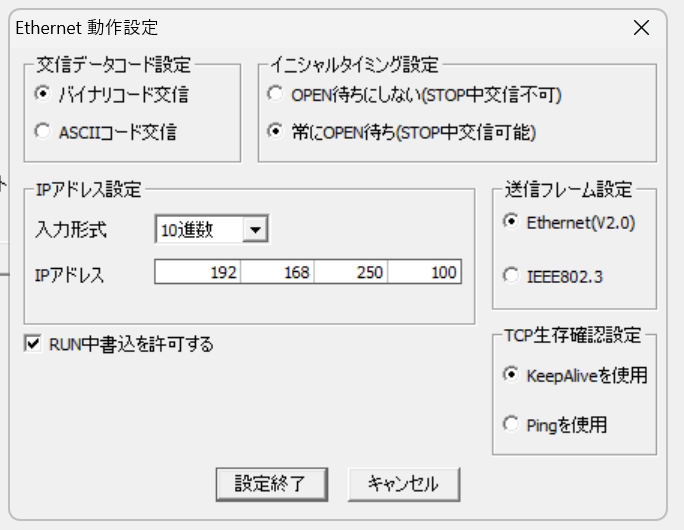 LJ71E71-100 network parameter screen.
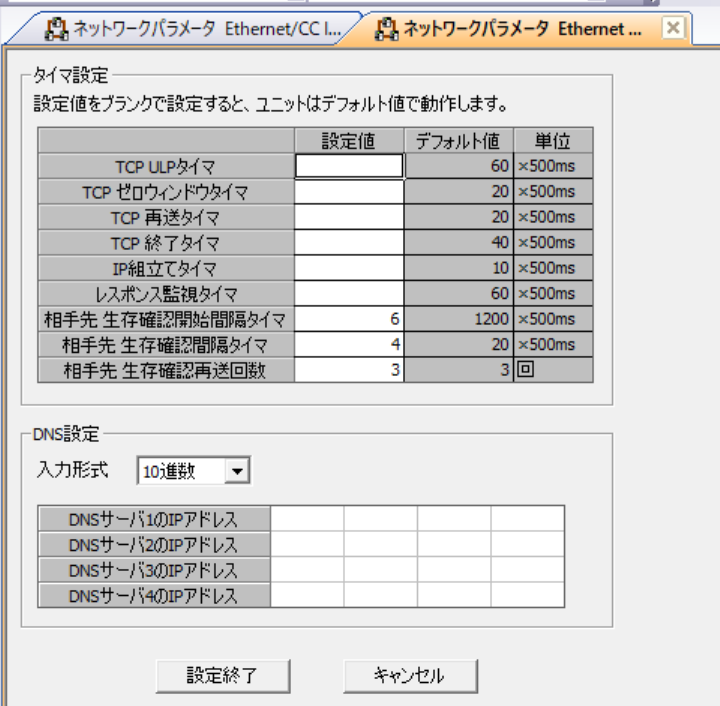 LJ71E71-100 open settings screen.
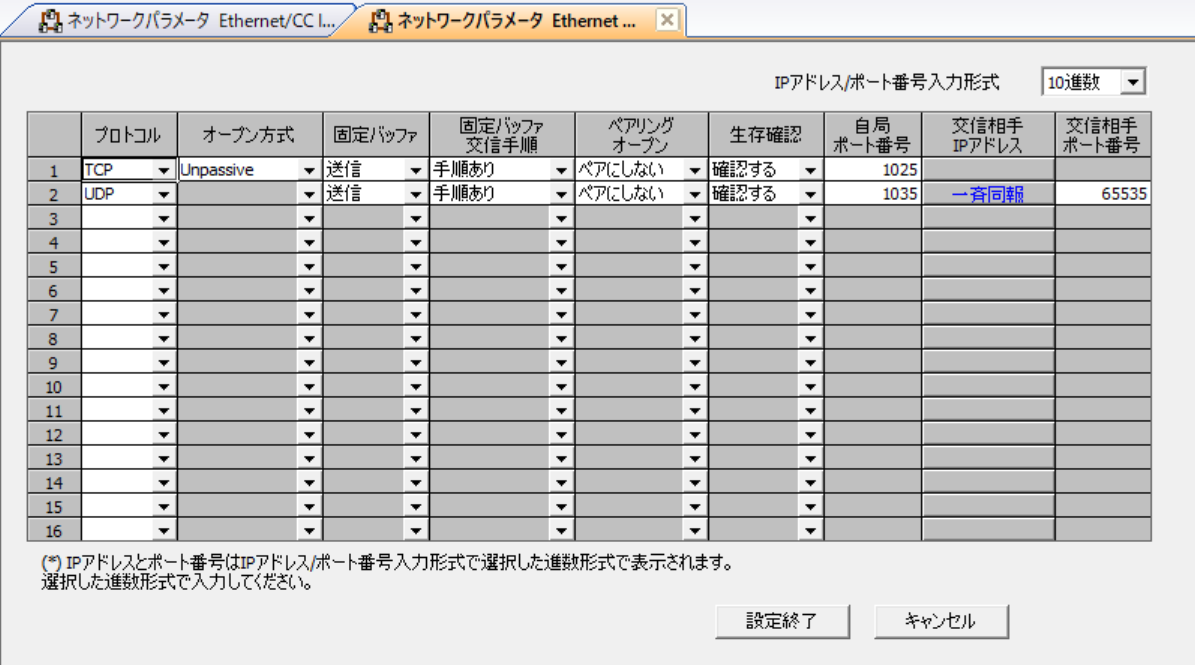 LJ71E71-100 MC Protocol open setting details.