PLC Communication Libraries
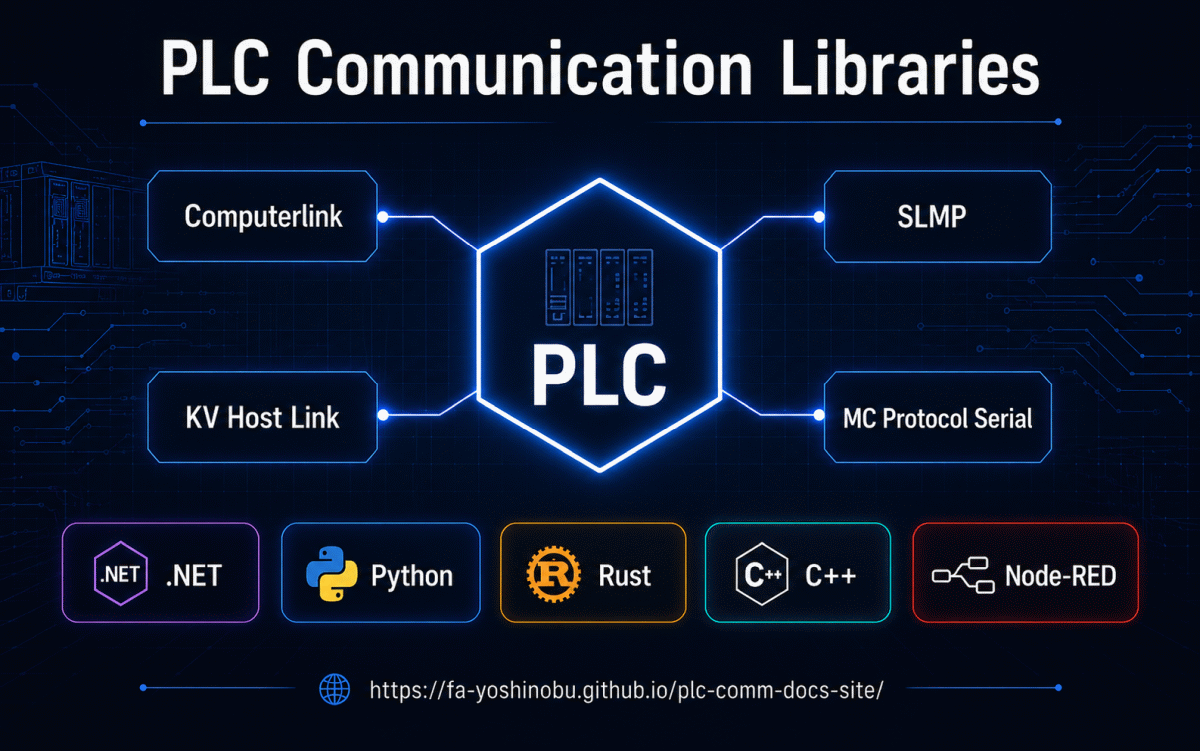
Talk to MELSEC, KEYENCE KV, and TOYOPUC PLCs from .NET, Python, Rust, C++, and Node-RED — one consistent design, continuously validated on real hardware.
Your first read in minutes
Every implementation follows the same model: pick a connection option set, pick
your PLC profile, read a device by name. This is a real SLMP read of D100
from a MELSEC iQ-R:
pip install plc-comm-slmp
import asyncio
from slmp import SlmpConnectionOptions, SlmpTarget, open_and_connect, read_typed


async def main() -> None:
    options = SlmpConnectionOptions(
        host="192.168.250.100", port=1025, transport="tcp",
        plc_profile="melsec:iq-r",
        default_target=SlmpTarget(network=0, station=0xFF, module_io=0x03FF, multidrop=0),
    )
    async with await open_and_connect(options) as client:
        value = await read_typed(client, "D100", "U")
        print(f"D100={value}")


asyncio.run(main())
dotnet add package PlcComm.Slmp
using System;
using PlcComm.Slmp;

var options = new SlmpConnectionOptions(
    "192.168.250.100", SlmpPlcProfile.IqR, 1025,
    SlmpTransportMode.Tcp, SlmpTargetAddress.OwnStation);

await using var client = await SlmpClientFactory.OpenAndConnectAsync(options);
var value = await client.ReadTypedAsync("D100", "U");
Console.WriteLine($"D100 = {value}");
cargo add plc-comm-slmp
use plc_comm_slmp::{
    read_typed, SlmpAddress, SlmpClient, SlmpConnectionOptions, SlmpPlcProfile,
};

#[tokio::main]
async fn main() -> Result<(), Box<dyn std::error::Error>> {
    let options = SlmpConnectionOptions::new(
        "192.168.250.100", 1025,
        plc_comm_slmp::SlmpTransportMode::Tcp,
        plc_comm_slmp::SlmpTargetAddress::default(),
        SlmpPlcProfile::IqR,
    )?;

    let client = SlmpClient::connect(options).await?;
    let value = read_typed(&client, SlmpAddress::parse("D100", SlmpPlcProfile::IqR)?, "U").await?;
    println!("{:?}", value);
    client.close().await?;

    Ok(())
}
No code required. Install
@fa_yoshinobu/node-red-contrib-plc-comm-slmp from Manage palette, create
an slmp-connection config node with your PLC profile, then read D100
with an slmp-read node.
The same pattern works for every protocol below — each language has its own Getting started, Usage guide, API reference, and Gotchas page.
Try it without writing code
If you only want to know whether the PLC is reachable and whether D100 really
holds what you expect, you do not need a project yet.
PLC Scope is a Windows
desktop tool built on these libraries: download the built
PlcScope-win-x64.zip from
Releases,
run it, enter the connection settings, and watch live device values. It speaks
the three Ethernet protocols — SLMP, KV Host Link, and TOYOPUC Computer Link —
with the same PLC profiles used by the libraries.
PLC Scope implements no protocol of its own: it is built on the .NET libraries documented here, so it doubles as a way to check the library itself. A session that connects and reads correctly has already proven the library, your connection settings, the PLC profile, and the PLC-side configuration — and the same protocol, host, port, profile, and address strings carry straight over into your own code.
Start with monitoring, not writing
PLC Scope can also write device values and issue CPU RUN/STOP commands. Do your first connectivity check with the Monitor tab only, and confirm that an address range is safe for the connected equipment before writing anything or changing CPU state.
MC Protocol Serial is not covered by PLC Scope. For a serial PLC, use the
read-only bring-up scripts in
examples/linux_cli
of the MC Protocol Serial C++ library instead.
Which protocol do I need?
| Your PLC | Connection | Use |
|---|---|---|
| MELSEC (iQ-R/F/L, MX-R/F, Q, L) | Ethernet (TCP/UDP) | SLMP |
| MELSEC (iQ-R/L, Q, A) | RS-232C/RS-485 serial module | MC Protocol Serial |
| KEYENCE KV series | Ethernet (TCP/UDP) | KV Host Link |
| JTEKT TOYOPUC | Ethernet (TCP/UDP) | Computerlink |
For MELSEC PLCs, prefer SLMP over Ethernet whenever an Ethernet port or communication unit is available — it is faster and easier to wire. Choose MC Protocol Serial when only a serial communication module (RS-232C/RS-485) is available, such as on legacy Q/A installations.
Pick your language
| Protocol | Getting started |
|---|---|
| SLMP (MELSEC, Ethernet) | .NET · Python · Rust · C++ Arduino/PlatformIO · Node-RED |
| MC Protocol Serial (MELSEC, serial) | C++ Arduino/PlatformIO |
| KV Host Link (KEYENCE KV) | .NET · Python · Rust · Node-RED |
| Computerlink (JTEKT TOYOPUC) | .NET · Python |
Not sure which one fits? Choosing a language compares the five implementations by runtime environment, footprint, and protocol coverage.
Package names, registries, sample code, and source repositories for every pairing are collected in the Package Matrix.
Why choose these libraries?
- Continuously validated on physical PLCs. Device profiles and protocol behavior are exercised against real hardware and re-checked as PLCs evolve — not only against simulators. See the measured latency and the 5-hour soak results · Read the maintainer's message.
- One design across five languages. Prototype in Node-RED or Python, ship in .NET, Rust, or C++ — the same options/profile/typed-read vocabulary everywhere, so knowledge transfers between projects and teams.
- PLC model profiles built in. Select a profile such as
melsec:iq-rand the correct frame type, address grammar, and per-model device ranges are applied for you. - Documentation that tells you the sharp edges. Every implementation ships a Getting started, Usage guide, API reference, and a candid Gotchas page.
PLC Setup Guide
The library is only half of a working connection. These step-by-step guides cover the PLC-side configuration for each supported hardware model, down to the parameter screens.
| Protocol | Models covered |
|---|---|
| MELSEC SLMP | iQ-R, iQ-F, iQ-L, MX-R, MX-F, QnUDV, QnU, LCPU, RJ71EN71, QJ71E71-100, LJ71E71-100 |
| KV Host Link | KV-X500, KV-8000, KV-7000, KV-5000, KV-XLE02 |
| Computerlink | TOYOPUC (minimum checklist; full guide in preparation) |
| MC Protocol Serial | MELSEC serial modules (iQ-R/L, Q, A) |
License & support
Maintained by fa-yoshinobu · FA Labo
For license terms, commercial support, sponsorship, and donations, see License & Support. To follow ongoing development, see Release Notes.